01 · SET UP
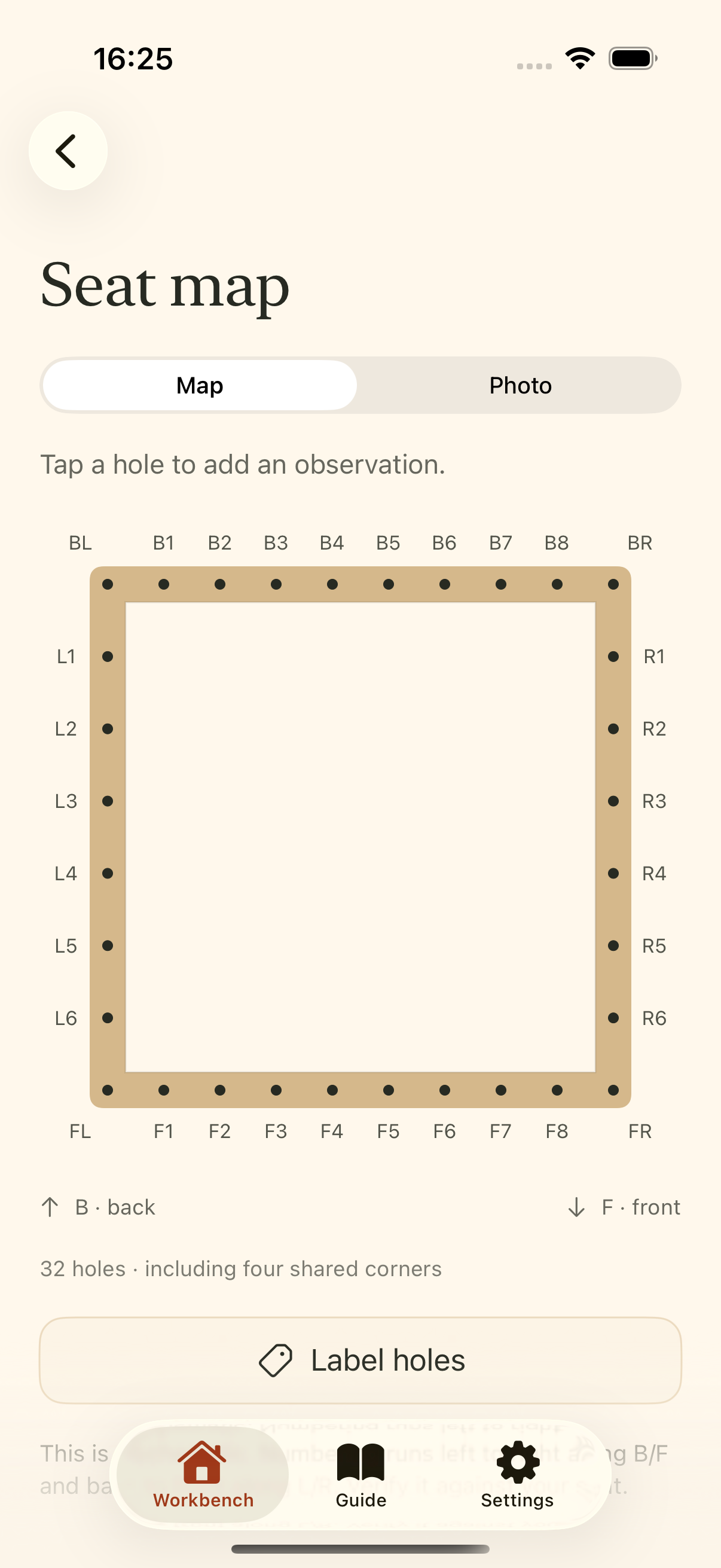
A map of your seat.
Count matching holes on opposite rails, mark the four shared corners, and add observations at each hole. For rectangular, hand-caned seats with 3–16 non-corner holes on each rail.
 CanePathTHE CHAIR CANING WORKBENCH
FOR THE HAND-CANING WORKBENCH · IPHONE & IPAD
Map a rectangular chair seat, record your weaving, and pick up where you left off.
Coming soon to the App Store
No account. No ads. Your work stays on your device.
01 · SET UP
Count matching holes on opposite rails, mark the four shared corners, and add observations at each hole. For rectangular, hand-caned seats with 3–16 non-corner holes on each rail.
02 · KEEP GOING
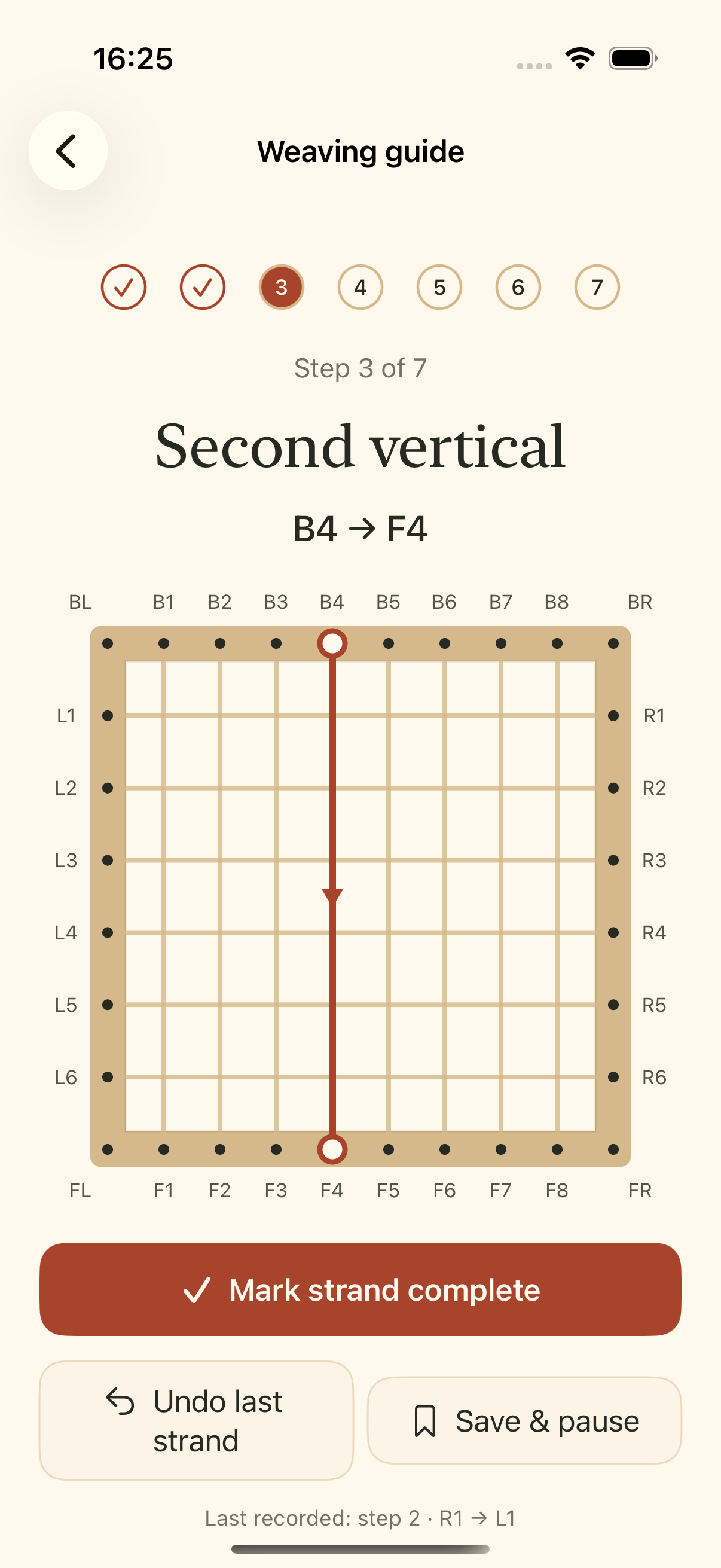
Choose the strand you are working on, record it, undo a mistake, or revisit a completed strand. Keep notes and up to six progress journal entries with photos.
03 · YOUR CHOICES
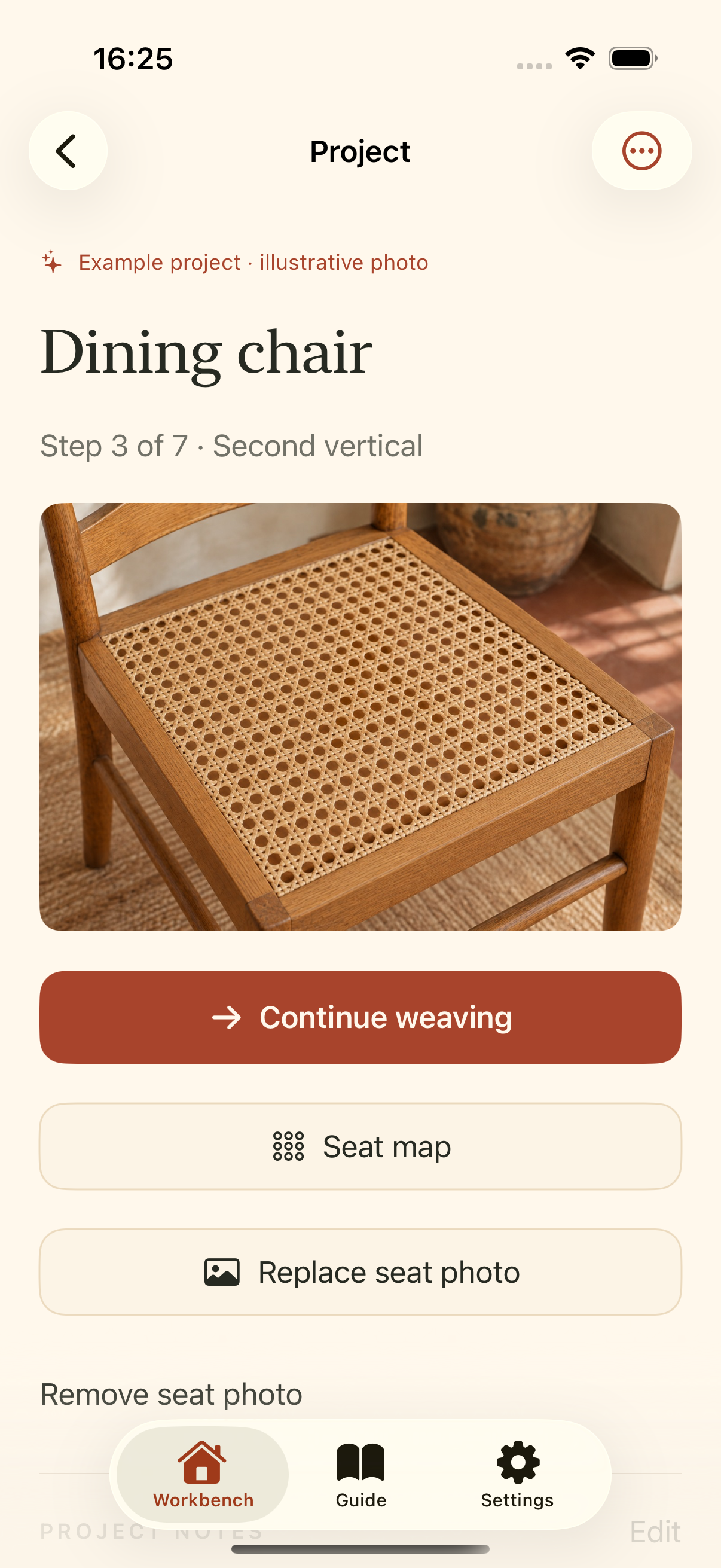
Add the endpoints you choose for the diagonal stages. The app is a project recorder and schematic companion; it does not calculate fish heads, crossing order or routes for irregular seats.
04 · KEEP A COPY
Export and import project JSON backups for free. CanePath Pro adds printable project PDFs with maps, observations, strand records, notes and photos.
A SMALL TOOL FOR YOUR WORKSHOP
The free workbench holds three saved chairs plus one labelled example. Archived and imported chairs count toward the next new chair.
CanePath Pro: £6.99 once in the UK. Unlimited chairs and printable project PDFs. No subscription. Local prices are shown by the App Store.
All existing projects, editing, backups, imports and recovery remain accessible without Pro.
Read the workbench guide